Tuesday, November 29, 2011

C4K

round image with student bloggers inside


For Yollis'365 Project, I was assigned to comment on Leila's neighborhood Tree blog post. Leila had taken a picture of a tree whose leaves were changing colors and asked Mrs.Yollis why she thought the trees in Boston changed before the leaves in her hometown. She also asked what color the leaves are on the tree. In my comment, I explained that I saw brown, green, orange, and yellow leaves and that I had several trees in my yard that looked like the one in her picture.

I was assigned to read Eleva's Blog @ Pt England School. In the blog post, Eleva described the introduction of the Rugby World Cup and she also uploaded a video of the introduction. In my comment, I explained that she described the introduction very well.I was able to do so because I could watch the introduction and she what she actually saw.

Saturday, November 26, 2011

Blog Post 14

words Technology and Education: Box of Tricks


I was quite excited to do this blog post, because I love learning different ways to incorporate technology in my future classroom. I agreed with all of Jose Picardo's Top Ten Tips for Using Technology in the Classroom. I love the fact of using videos and music during a lesson. I believe that it will keep the children interested in learning and having fun while learning as well and student's learn better when they are having fun. However, I also believe that it is important to incorporate their own devices, such as an iPod or cell phone, in your classroom. Picardo's list of resources for teachers is among my favorite thing that I have read in EDM 310. As a future teacher, I plan to use the resources that he has provided to better technology in my classroom. I defiantly book marked Jose Picardo's blog.

Another tip that I was interested in was creating my own interactive exercises. I am not familiar on how exactly to do this, but I do plan on learning more about it and using it in my future classroom. Like in my former blog post, I explained that I plan to have class blog. Picardo's tip #7 was exactly what I plan to do. I believe that class blogs are important not only for students to keep up with the class, but parents as well. A blog would be perfect for posting due dates and upcoming assignments for the class.

Tuesday, November 15, 2011

Blog Post 13

laptop with books on top of it


For blog post 13, I choose option 2, which was reading the My Teacher Is An App article. The title of the article explains it all. Stephanie Banchero and Stephanie Simon, the authors of the article, explain that roughly 250,000 students are signed up for full-time online schools. These students ranging from Kindergarten through twelfth grade are able to access their school work and test from the comfort of their own house. The article also explains that some high schools require students to take at least one online class to get prepared for college. The schools that offer the full-time online classes don't have as many teachers as the other schools, because all they do is answer phones and emails, and video conference with students and parents. However, some schools like the Southwest Learning Centers require students to attend class at least 14 hours a week with their choice of what days they want to come.

I have mixed feelings about the online schools. Like the example given in the article, students learn better by watching videos and interacting with their school work rather than just listening to the teacher lecturing. I know that some students wouldn't do good with online class because they would procrastinate with their school work and end up not doing it. However, I believe that it is important for teachers to use video clips, pictures, and other interesting visual aids in their classroom to keep the students' attention. I also believe that technology needs to play a huge role in classrooms, because it is on the rise and students' must be familiar with it.

Special Assignment #1

a mans suit with a lighbulb as a head


I understood the metaphor that Tom Johnson used in his blog post. I had to read the post several times before understanding his meaning. It thought it was a very clever idea to make the readers think and use context clues to figure out the meaning.

The Merriam-Webster Website defines metaphor:
1.) a figure of speech in which a word or phrase literally denoting one kind of object or idea is used in place of another to suggest a likeness or analogy between them.

I believe that we teachers use metaphors to enhance our stories and speech. Like Dr. Strange said in his blog post about this assignment, you cannot escape metaphors. I cannot go one day without using one because it is so natural. I think that teachers use metaphors to make their students think and use context clues in sentences to figure out what they are saying.

Examples of metaphors:
1.) The United States is the melting pot
2.)The dog was as fast as lighting
3.) Military men are known as chess men

Thursday, November 10, 2011

C4K #10 Assignment

Mrs. Yollis' class


Before exploring Mrs. Yollis' class blog, I thought it was just an ordinary teacher blog. I was defiantly wrong. Mrs. Yollis' blog has a link for everything and seems very helpful for her students. Her students are able to be reminded for the HTML codes if they forget. They are also able to access her website from the blog homepage. Like her class blog, Mrs. Yollis' website very helpful too. It has a link to the spelling lists, lessons, and educational games for everyone to access. Viewers of Mrs. Yollis' class blog are able to see the counts of views from all over the world. The numbers are unbelievable. It is amazing to know that students from different countries are able to communicate so easily.

I also noticed while browsing over Mrs. Yollis' blog that she had several links for teachers. On her class website, she has a links to blogging tips for teachers. She also has a link on her class blog, Educational Blogging Resources for Teachers, that extremely helpful for teachers that want to blog. I really enjoyed reading through Mrs. Yollis' class blog and website. I learned numerous ideas and ways that I can use a blog in my future classroom.

Project #15

Progress Report on Final Project

camcorder


For Project 15, Nikita Ladner, Eric Manheim and I will be making a video about the top five things to be successful in EDM 310. Nikita and I will play the role of the responsible and successful students. Eric, on the other hand, will play the role of the irresponsible student that procrastinates. This video will help future EDM 310 students to see the difference between how to conduct yourself in EDM 310 and how not to.

Project #14 Skype Interview

Tuesday, November 8, 2011

Blog Post 12

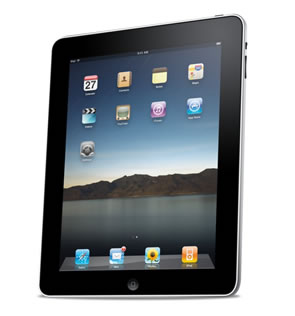
I have to say that I am addicted to Pinterest and while browsing on the website for hours I found an amazing article, 20 Amazing iPad Apps for Educators. I personally do not have an iPad, hopefully that will change very soon, but I spoke with several teachers that said they have iPads in their classrooms. This article gives 20 very good apps that will help an educator in their classroom. My blog post assignment is to pick five apps that you could use in you classroom and briefly explain how you could incorporate them into your classroom.

ipad

1.) Docs Anywhere- It is an app that allows you to work from any document and computer and then can transfer to the iPad by iTunes or USB. I believe that I would most defiantly use this as an educator because I love working from my laptop, however it is much easier to carry an iPad around all day. This app would allow me to make slide shows, word documents, or pictures from my laptop and transfer them to my iPad.

2.) Pages- Pages is an app that helps educators easily make test, notes, quizzes, handouts etc and file share them also. The app also allows educators to put pictures, graphs, tables or anything to better illustrate the information that is given. I would use Pages to better my communication with not only my students but their parents as well. It would make designing test, handouts, and quizzes fast and easy with the help from pages.

3.) Mobile Air Mouse- The name says it all! This app allows teachers to use their iPad as a keyboard, trackpad, or remote control that helps during lesson. It also makes it easier to incorporate technology in the classroom by letting the students help the teacher with visual aids during the lesson.

4.) Keynote- I believe as a future Elementary/Special Ed teacher I would use this app all the time. Keynote is a very helpful app that allows teachers to access wonderful visual aids for their lessons. Children love to look at pictures and other aids and it also keeps them focused during class. Teachers are able to present charts, tables, or pictures to the entire class by hooking the iPad up to the class computer. I believe that having visual aids during lessons adds fun and excitement to the lesson.

5.) LanSchool Teacher's Assistant- As technology is on the rise, it is our jobs as educators to better educate our students with the use of technology. Students are able to use the internet to find valuable information but it is important to keep them safe. The LanSchool Teacher's Assistant allows teachers to block any bad pictures or website and limit websites that students can access. This app is wonderful for teachers to monitor what the students are doing. I would use this in my classroom because I want my students to be able to access the internet without getting into trouble. I believe that it is very essential to teach children the importance of internet safety.

Tuesday, November 1, 2011

C4K

I was assigned to read the post Dartanian Visits Paris on the "Room 10 At Pt England School" class blog. Dartanian made a video about visiting Paris. In my comment, I explained that I was happy to see students make videos and post them onto blogs.


The second C4K I was assigned to comment on was Room 17 at Pt England School. I commented on the blog post, Wales and Italy. It was posted by a student who did research on Wales and Italy and wrote a post about them and also made a video. In my comment, I explained that I enjoyed reading the post and that I also learn several new facts about Wales and Italy. I also explained that I was thrilled to see students engaging into technology.


The third C4K that I was assigned to read was on the on Mr.McClung's World blog. The title of the post that I was assigned was "The Middle Ages...". The teacher asked his students to think about life back in the middle ages and the students reacted by writing on the board "life in the middle ages sucked". When I read this post, I laughed extremely hard. But in my comment, I explained that I knew where they were coming from. I can't imagine going back in time and not having television, computers, or video games.

Bog Post 11

students playing on computers


After watching the videos about Ms. Cassidy's class being involved with technology, I am very motivated to do the same with my classroom. I loved seeing the different ways that technology was used in her classroom in the video First Grader's In Ms. Cassidy's Class. Her students looked like they really enjoyed learning because they were able to do their work on the computer or the smart board. I believe that it is very important for students to enjoy learning so they will never get bored or tired of doing the same thing every single day. Technology has so many gateways to teaching and learning. I can see myself having a class web page and allowing my future students to access it and play games or learn about material that will help them in my classroom. I love the fact that in Skype interview with Ms. Cassidy she mentioned that she uses her students' class blogs as a portfolio of their work. Their parents can go on the student's blog at any time and see the progress that is being made. I cannot agree more with Ms. Cassidy on the fact that technology will never go away. Like she said in the interview, we cannot teach the students with the same kind of materials that were used several years ago because so much has changed.

As a future teacher, I plan to incorporate technology everyday in my classroom. Like I mentioned earlier, I plan to have a web page for my classroom where I will have links and games for the students to further their learning. I also plan to allow students to use the smart board as well. Students love being able to play with technology and they see it as a treat. If learning on the smart board motivates them to pay attention in class, I am all for it! As Ms. Cassidy explained, safety on the internet it a very important matter. I will most definitely teach my students the important of staying safe on the internet. I must also send home letters to the parents asking for their permission for their children's work to be posted on the blog. I have learned several different approaches to using technology in my classroom by watching the videos of Ms. Cassidy.

Wednesday, October 26, 2011

C4T 5 & 6

white kindle


I was assigned to read the blog Don't Waste Your Time for my C4T 5. On that blog, I read the most recent blog post "Video: A Brief History Of Tech In Education". It was a short video that went over the technological advances in technology. i really enjoyed watching the video because it brought back so many memories of me being a student in elementary school.

The second blog post that I read was called "eBook and eReaders (Infographic)". It was about the statistics of people that use eBooks and eReaders. In my opinion, I think they are wonderful devices because you are able to take several books around with you and it only feels like one. Click here and you are able to see the statistics.

Tuesday, October 25, 2011

Blog Post 10

educate spelled on a blackboard


After watching the video Do you Teach or Do you Educate? I felt very inspired to educate rather than just teacher. I loved the the words that were used in the video. For example, an educator enlightens, inspires, and empowers students. An educator is someone who provides his or her students with instruction and also advises students to the right path. Teachers often just teach the materials needed just to get through the day. However, in most cases the students didn't learn so they are just pushed off on another teacher. As a future educator, I plan to work with my students in the areas needed. I must guide them and mentor them instead of pushing them to another teacher. I believe that teachers/educators are much more than that because in some cases certain students do not have the right guidance at home as they should.
This video also reminded me of EDM 310. As explained in this course, most courses are "burp back" education when the teacher drills information into your head and you have to spit it back out on a test. I feel that educators must not always use this method. I plan to instruct students rather than lecturing them and expecting them to understand quickly. I believe that EDM 310 has prepared me to become and educator rather than just a teacher.


I really enjoyed reading the blog post, Tom Johnson's Don't Let Them Take the Pencils Home!. However, I was a bit confused at first. After reading through the other blog posts and after reading former EDM 310 students' blogs I can to the conclusion that the pencils were actually computer. I find it funny that the man thought computers were lowing test scores. Some people don't exactly understand how helpful technology really is. Johnson goes on the explain that low-income areas believe that computers are used for fun and games rather than educational things because they were never taught how to use it. Johnson explains that he has met with the parents to teach them how to use the computers and when the students go home they have fun projects to keep them interested.
I believe that technology is very important to learn at a young age. Especially in today's society. Some people of previous generations do not understand the importance of technology, like Gertrude, the School Curriculum Instructional Interventionist Academic Specialist. I think it is important for not only educators to understand technology but parents as well. Mr. Johnson's idea of having a program for the parents was and excellent one. As a teacher I plan to incorporate technology in my everyday lesson plans.

Wednesday, October 19, 2011

Blog Post 9

Joe McClung sitting in a classroom with children


I really enjoyed reading the blog post What I've Learned This Year (09). Mr. Joe McClung explained in his post that he learned seven major things in his first year teaching.
1.) How to Read the Crowd
2.) Be Flexible
3.) Communicate
4.) Be Reasonable
5.) Don't be Afraid of Technology
6.) Listen to Your Students
7.) Never Stop Learning

I learned so much about being a "young and experienced teacher" from reading his post. During my first year of teaching I plan to follow Mr. McClung's words of advice to make me a better teacher.


Mr. McClung's second post What I Learned This Year (10) was about his second year of teaching in a new state and a new sudject. He explained that he was defiantly out of his comfort zone but that teachers should adapt to their surroundings. He had to teach a whole new subject and curriculum and he had to adapt to his new school and subject. McClung found out that his social studies students wasn't ever taught to think for themselves. he explained that it can be frustrating at times. He goes on to explain that when someone first becomes a teacher they should find a "school momma" which is someone that has been there longer and could help you through tough times. Joe McClung states that he learned to leave his ego at the door and that other teachers should too. Also, he explains to teachers not to loose sight of what really matters.


Joe McClung's last post was What I learned This Year (11). This year has been the first year that he has taught at the same school for more than one year and it has brought more change into his life. He explains that he is a coach of the cross-country team and he is also the computer applications teacher. Once again, McClung goes through the things/lessons that he has learned throughout the year.
1.) Know Who Your Boss Is
2.) Don't Expect Others to be as Excited About Change as You Are
3.) Don't be Afraid to be an Outsider
4.) Don't Touch the Keyboard
5.) Don't get Comfortable


I can honestly say that I enjoyed reading Joe McClung's blog posts. Like McClung, I plan to have and open mind and learn every single year that I am a teacher. I am excited to see the challenges that I face and the changes that will happen throughout my years as a teacher.

Tuesday, October 11, 2011

Blog Post 8


After watching This Is How We Dream Parts 1, I realize more that the web is so much more helpful. Mr. Miller explains that all of his projects that he worked on was written with muli-media. He was able to quickly find information about our government rather than searching for it in a book. I believe that I am prepared to write in multi-media and that EDM 310 is helping me tremendously with it. I plan to teach my future students the importance of writing in multi-media because it will be their future.

In the video This Is How We Dream Part 2, Mr. Miller discusses the different ways to write in mulit-media. The information is updated instantly right before your eyes. Miller explains that there are people who make visual representation of a certain subject and how they collect the data to compose it. iTunes U is another wonderful thing that is available right and tip of everyone's fingers. Miller thinks that there will be a time that students will not only compose their information on word processor, but on "digital composing material". He explains that his publication was distributed through YouTube and within three months it was all over the web. If he would have just written and sent it off it wouldn't have come out until at least two years later. Miller sates that this is a way to push ideas into our culture and we should all want to do that. He ends in video by talking about his dream to build a building onto the one he teaches in. The building would bring together the best of the sciences and the best of the humanities.

I believe that I could learn more about ways to write in multi-media and how to be better at it. As a teacher that will one day be teaching students who are technologically advanced, I believe that it will be important to teach my students all about muli-media. I am edger to learn more about technology and what I can not only use in my classroom, but what I can teach my students. This, I believe, will make me a better teacher.


Carly's Post
First of all, I believe that Carly does an excellent job at writing her blog post. I also thought that her assignment was quite interesting. It fits Mr. Miller's hopes of writing in multi-media because everything assigned is through multi-media. It will let the students explore the media by using other "digital composing material".


I think that I would like to participate in a video that explains to upcoming EDM 310 students the importance of this class. I would also like to add things in the video that would make people get excited and willing to learn more. Having fun while learning, I believe, is a key to successful learning. If I was to make a video, I would explain the fun we have in the class, as well as the importance of it. However, one other idea that I have is similar to the video, "EDM 310 for Dummies" because I would explain the ways to make this class easier to understand and successful.


Learn to Change, Change to Learn.
I have to agree with the arguments made in this video because I feel that "schools are like factories". I can remember when I was in elementary school we only got to go to the computer lab once a week. It was a little disappointing because we all loved it so much. I believe that schools should incorporate all types of technology in the schools, starting in elementary. One of the speakers in the video explains that the students in schools today will not be using the "vending machine answers" in their future. I honestly have to agree with that. I is the like "burp-back" education that is explained in EDM 310.

Friday, October 7, 2011

1st Progress Report On My PLN Project #10


Once I figured out how to use Symbaloo I never wanted to stop talking about it. I learned how to make my own icon with the website of my choice, which is really helpful. I watched a few videos on other PLNs and it is so interesting to me. I think it would be awesome for my future students to have PLNs to help them with their classwork. I will definitely be using my PLN for other classes now and in my future.

Blog Post 7

Randy Pausch giving a speech


I can honestly say that I really enjoyed watching Randy Pausch Last Lecture: Achieving Your Childhood Dreams. The three points of his video was his childhood dreams, enabling the dreams of others, and how you achieve your dreams. From the beginning of the video I realized that he was a very determined person, even as a child. Randy Pausch had several childhood dreams. However, so he knew that would never happen. He explained that he had a wonderful childhood and in every childhood picture he was smiling. He also goes on to explain that it is very important to have specific dreams. He knew he could never make it to the NFL but that didn't stop him from trying. he stated that he got more from not accomplishing his NFL dream than the dreams that he did accomplish. Being able to get the fundamentals down before getting fancy is very important. Later on in his video, Pausch states a quote, "Experience is what you get when you didn't get what you want". I couldn't agree more. AS a teacher, I plan to teach my students that you can learn from what you didn't achieve. It should only make you work harder. For example, Pausch says that the brick walls are there for a reason.

I believe that Randy Pausch was amazing at helping students achieve their dreams. he created a course called Building Virtual Worlds. It is basically a course on childhood dreams. The course has 50 students from art, design, drama, and CS. The students are picked randomly for teams that work on a project for two weeks. After the two weeks, the students are moved to a different team. Randy Pausch didn't know what to expect from the first project but he was shocked at how well the students did. He had to call his mentor and ask for advice on what to do next. His mentor said to go tell the students that they did a great job but they could do better. I didn't know how to take this at first but once he explained it I realized that was really good advice. I believe it is good advice because it would make the students work harder. I plan to use this teaching method in my future classroom and get a good reaction out of it.

Randy Pausch went on to explain about an ETC course in his video. It is a project based and hands on course. For example, the students would use video games to teach people things. What students wouldn't like to do that? Pausch explains this as being a "head fake" which is a good way to teach. It means having the students think they are learning something else but instead learning something meaningful. The students wouldn't realize that they are learning because they are having so much fun. This is another teaching method I plan to use in my future classroom. I want my students to have fun in my classroom and learn at the same time. I believe that it will make them want to learn more in the future.

The lessons learned that Randy Pausch explains about in his video are very useful. He explains that it starts with the parents and they should teach their children to help others. His parents helped students go to school in Thailand and passed it down to him. Eventually him and his wife helped on the same project. I feel that children watch their parents and therefore parents should be a good role model for their children. I also feel that teachers are role models too. A a parent and teacher, I plan to teacher my students and children to help others when in need. I plan to also teach them to never loose their "child-like wonders". It is very important to dream and strive to achieve them.